Most tools treat a document as either free-form pages (design tools) or one continuous flow of text (word processors) — never both. WriteA doesn't choose. A page is just a page, and your text is part of one ongoing story that can run through as many pages as it needs.
Type past the bottom of a page and WriteA just continues the same story onto a new page.
It doesn't stop you or ask you to draw a new box. There's no separate “flowing text mode” bolted onto a design canvas underneath. It's one model, doing both jobs.
Most creative work falls between the cracks of tools built for one job. Illustration apps can't set a paragraph. Layout apps treat drawing as an import. Word processors give up the moment you need real design. WriteA is built for the work that needs all three at once — flyers, zines, reports, comics, manuals, posters, and books.
 WriteA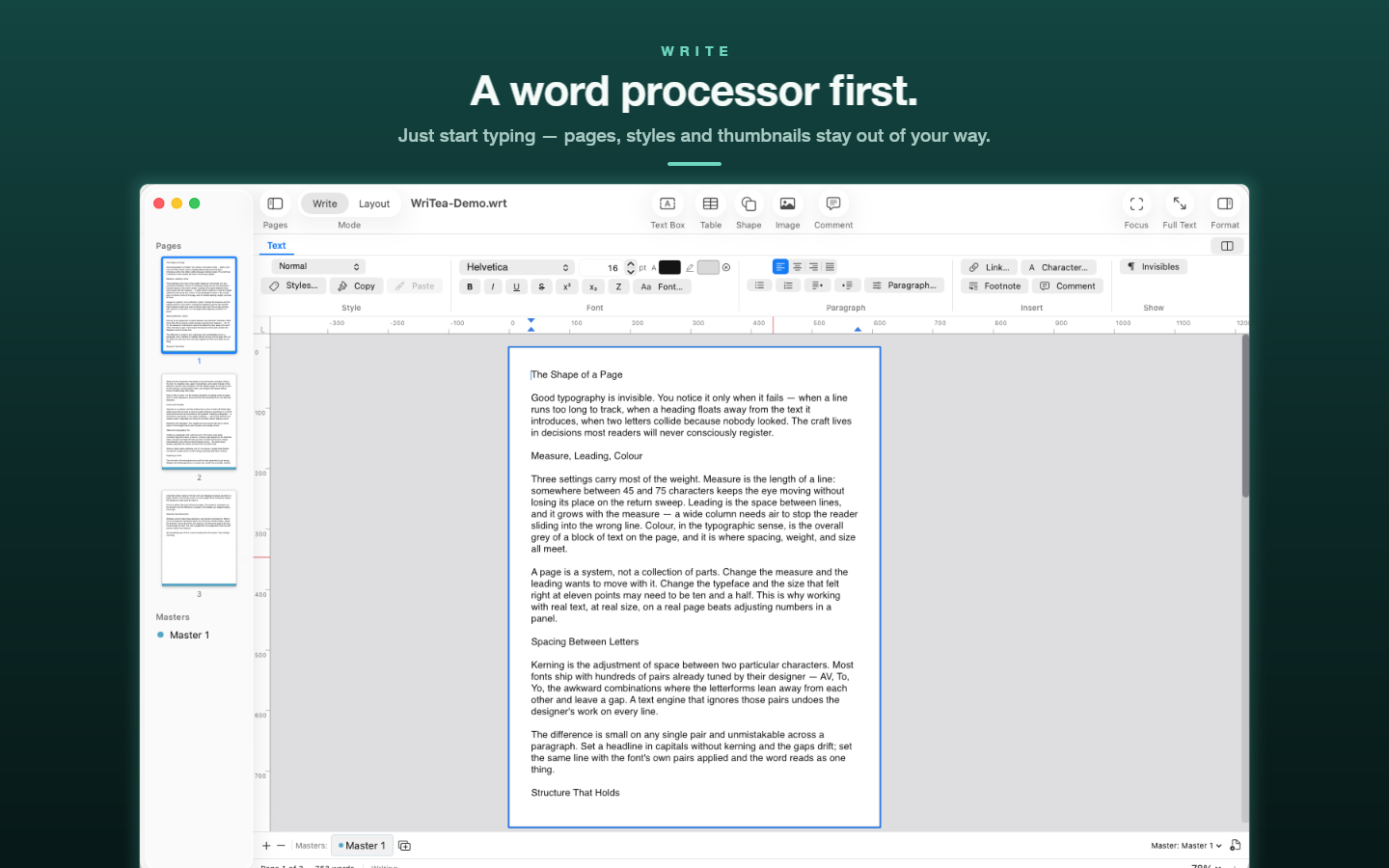

Write | Layout
A new window designed for macOS 26: switch between Write and Layout, with a labelled toolbar, page thumbnails, and a Format inspector.
Hyperlinks
Insert ▸ Link (⌘K). Links are kept when you export to PDF, Word, EPUB, and Markdown.
Columns
Set the number of columns and the gutter for your document.
Crop and smart guides
Crop pictures right in the Format inspector, and let smart guides line objects up as you move them.
Print-ready PDF
Export PDF with bleed and crop marks, ready for the printer.
At home on the Mac
Full system text input — accents, dictation, and emoji — plus autosave with crash recovery, Revert to Saved, and pinch to zoom.
Coming in 2.1
Art, scatter, and pattern brushes made from your own artwork, plus Scissors, Knife, Eraser, and Shape Builder for cutting and combining shapes.